User Profile: Casino

Forum Replies Created

Viewing 6 posts - 271 through 276 (of 276 total)
  • Author
    Posts
  • in reply to: pcWRT firmware v1.25 Release Notes #1960
    Casino
    Participant

    In the parental control settings, you can check “SafeSeach” , “Block Proxy” etc…., please ADD a block for image hosting sites.

    Reddit, Imgur, Pinterest, etc… are FULL of pornography. Nowadays a person for to look at pornography enter in these sites.

    Instead of insert them one by one, add this function too. So, with one check, a parent can be peaceful with this.

    This is a big hole in the pcwrt.

    Thanks.

    in reply to: Port Forwarding #1950
    Casino
    Participant

    Where’s WAN IP address?

    • This reply was modified 8 years, 3 months ago by Casino.
    in reply to: Port Forwarding #1943
    Casino
    Participant

    Thank you.

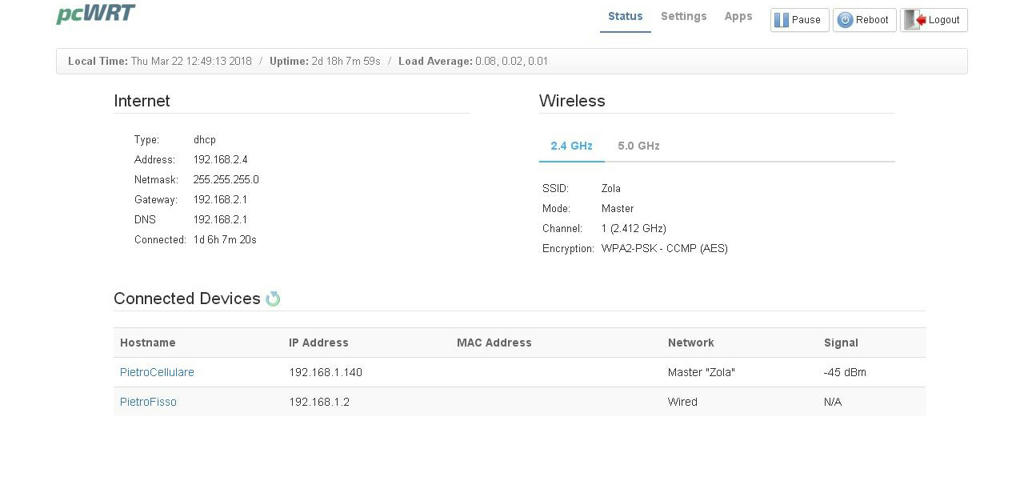
    1) Where can i find the WAN IP Address?

    2) Can i set the D-Link Router on Bridge Mode and then port forwarding just the pcwrt?

    in reply to: pcwrt and D-Link Router. HELP! #1916
    Casino
    Participant

    Thank you so much. But, after you’ve changed the D-Link Gateway address, you NEED to reboot pcwrt router for update it at the new settings of the D-Link Router

    1) Change D-Link Gateway Address

    2) Reboot pcwrt

    3) Change IP address of the pcwrt

    Now, internet works through the LAN, finally!

    Thanks!

    in reply to: pcwrt and D-Link Router. HELP! #1906
    Casino
    Participant

    Thank you, but, for my personal preferences, I HAVE TO assign a static ip on the PC.

    What can i do?

    Anyway, i have another problem. I can’t set automatic IP address assignment for some reasons, so, is it possible surf in internet on my home pc (LAN) without touch my home pc preferences and just modify in pcwrt settings? I don’t know, maybe in internet configuration (PPoe etc…) or network configurtation etc…

    in reply to: pcwrt and D-Link Router. HELP! #1904
    Casino
    Participant

    But, after this, can i set a static ip again like that in the image above?

    And, have i connected the cable right? LAN Router – WAN pcwrt / LAN Home PC – LAN pcwrt?

    Thanks.

Viewing 6 posts - 271 through 276 (of 276 total)