Category Archives: Technology
-

Is it safe to enter credit card info on public WiFi?
Posted on May 11, 2020 by pcwrt in Security, Technology, WiFi.How big is the risk? Time and time again you’ve been told that public WiFi hotspots or compromised routers will get your credit card numbers and banking info stolen. However, such risks have been overly hyped. We agree that public, open WiFi networks totally cannot be trusted. And that compromised routers can be used to […]
Continue Reading... 1 Comment. -
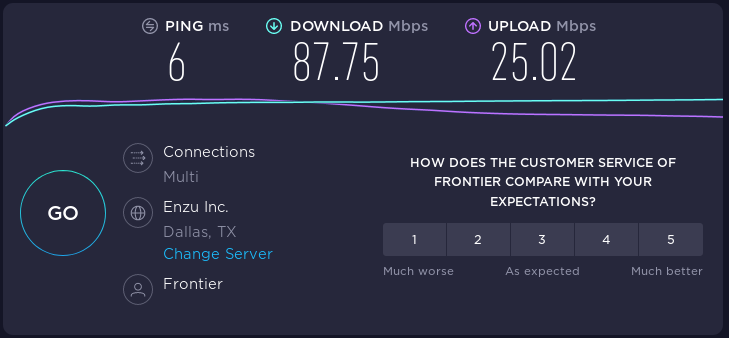
Performance comparisons of three VPN protocols on a budget router
Posted on February 3, 2020 by pcwrt in Router, Technology.One of the drawbacks of running VPN on a router is performance. It is especially profound when you run OpenVPN a budget router like the pcWRT TORONTO-N. In hopes of getting more reasonable VPN performance out of commodity router hardware, we added support for strongSwan (IPsec) and WireGuard®* to the pcWRT firmware. In this post […]
Continue Reading... No Comments. -
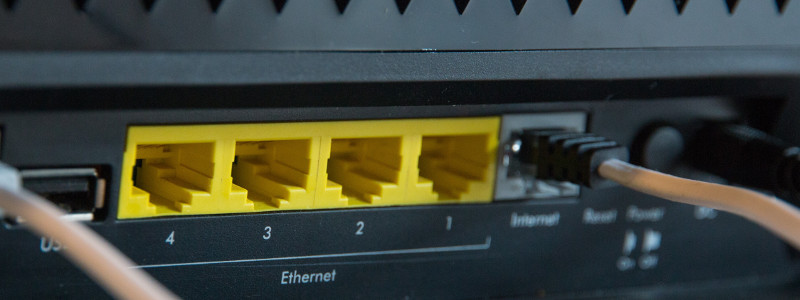
A router that talks three VPN protocols
Posted on January 11, 2020 by pcwrt in News, Router, Technology.The pcWRT router offers the most comprehensive support for VPN technology on a router. Out of the box, it supports three VPN protocols: OpenVPN, IKEv2 and WireGuard®*. You can run both server and client on the router, and all three protocols simultaneously if you wish. Initially we only had support for OpenVPN. But it turned […]
Continue Reading... No Comments. -
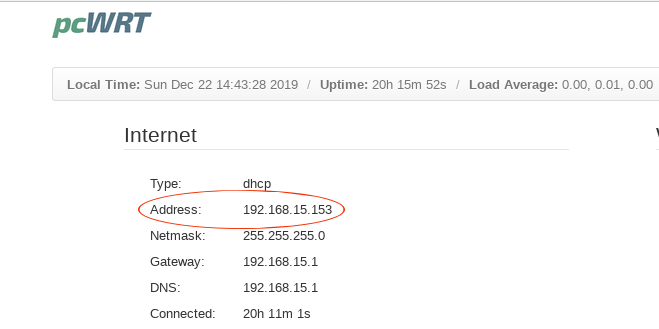
How to find out if your router is behind NAT?
Posted on December 22, 2019 by pcwrt in How To, Technology.If your router is behind NAT (Network Address Translation), then it is not directly accessible from the Internet. As a result, any services running on your router is not directly accessible. You need to know if your router is behind NAT if you plan to run a VPN server on your router so that you […]
Continue Reading... No Comments. -
Dynamic DNS Explained
Posted on December 19, 2019 by pcwrt in How To, Router, Technology.What is Dynamic DNS? In short, Dynamic DNS (DDNS) is a DNS service for hosts without static IP addresses. There are two sides to your home network, the internal network (aka LAN) and the external network (aka WAN). The internal IP addresses are assigned by the router (and can be changed by the user), while […]
Continue Reading... No Comments. -
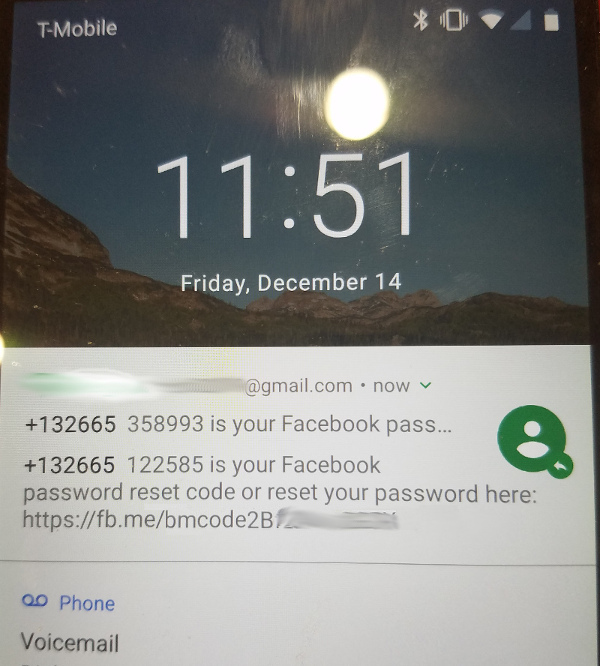
Why it’s a bad idea to show all notification content on Android lock screen
Posted on December 14, 2018 by pcwrt in How To, Security, Technology.By default, Android displays notification content on the lock screen. While it may seem like a convenient feature at first, it’s probably a bad idea. This is what my lock screen looked like after I requested a password reset on Facebook: Looks scary? Here’s how to turn it off: Open the Settings app Tap on […]
Continue Reading... No Comments. -
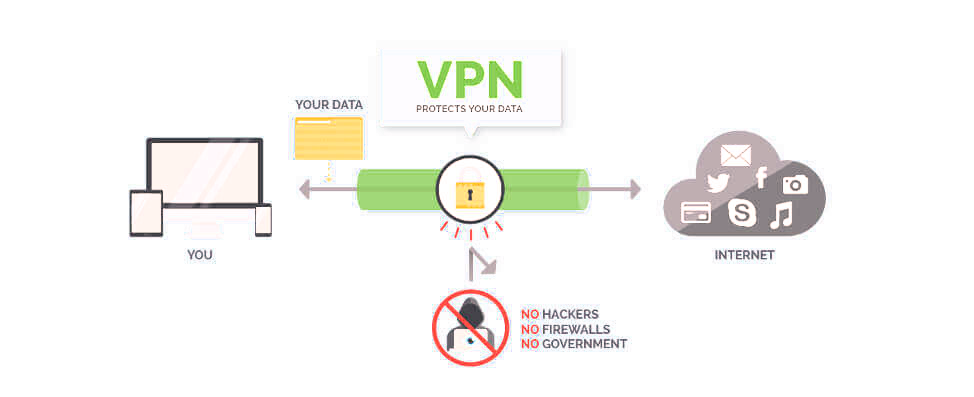
Does a VPN Really Protect My Privacy?
Posted on August 19, 2018 by pcwrt in Security, Technology.The above picture is often used to illustrate how VPNs can protect your privacy. Because the VPN creates an encrypted tunnel between you and the Internet, your privacy is protected. However, the picture is missing a very important piece: the VPN service provider. As you can see, the encrypted tunnel ends at the VPN service […]
Continue Reading... No Comments. -

Block third party tracking cookies, does it work?
Posted on August 12, 2018 by pcwrt in How To, Security, Technology.People don’t like to be tracked around everywhere they go on the web. So all major browsers give you the option to “block third party cookies”. And there’s a DNT header that your browser sends on your behalf to nicely tell the tracking parties that you don’t want to be tracked. However, the big question […]
Continue Reading... 1 Comment. -

Are you building a surveillance network around your house?
Posted on August 9, 2018 by pcwrt in Security, Technology.And letting others spy on you? Smart TVs, security cameras, smart thermostats, smart plugs, smart doorbells, Alexa Echo, Google Home. All of these are capable of collecting data from your home (network traffic, connected devices, shared files, image, voice, video, etc.), and capable of sending data out to anywhere over the Internet, uninhibited. Earlier this […]
Continue Reading... No Comments. -

Spam email from legitimate business email servers
Posted on July 7, 2018 by pcwrt in Security, Technology.There’s a new trick to send spam: using legitimate business email services. Just a few days ago, I received an email from Honeywell. It was spam. I checked the sender address and the sending domain. It seemed to be sent from Honeywell indeed. So I wondered why Honeywell would spam me with something that’s completely […]
Continue Reading... No Comments.

Recent Posts
- pcWRT VPN Router for Business: Set Up a Site-to-Site WireGuard VPN in Minutes
- How to Set Up a Router-to-Router WireGuard VPN Behind CGNAT (pcWRT Guide)
- pcWRT DDNS Setup Guide: Free & Easy Remote Access in 2 Minutes
- Double VPN, multi-hop VPN, VPN chaining, what is it?
- VPN Split Tunneling and Split Tunneling Two Separate VPN Connections with the pcWRT Router
Recent Comments
- on How to allow or block web sites on the router
- on How to allow or block web sites on the router
- on How to allow or block web sites on the router
- on Monitor activities on your home network
- on How to reset the pcWRT router
Archives
- August 2026
- May 2026
- February 2026
- January 2025
- December 2024
- June 2024
- April 2024
- March 2024
- August 2023
- May 2023
- February 2023
- June 2022
- December 2021
- November 2021
- August 2021
- January 2021
- December 2020
- October 2020
- August 2020
- July 2020
- June 2020
- May 2020
- April 2020
- February 2020
- January 2020
- December 2019
- October 2019
- December 2018
- August 2018
- July 2018
- June 2018
- January 2018
- November 2017
- October 2017
- September 2017
- August 2017
- July 2017
- June 2017
- January 2017
- August 2016
- May 2016
- December 2015
- August 2015
- July 2015
- May 2015
- April 2015
- March 2015
Categories


