Category Archives: Router
-
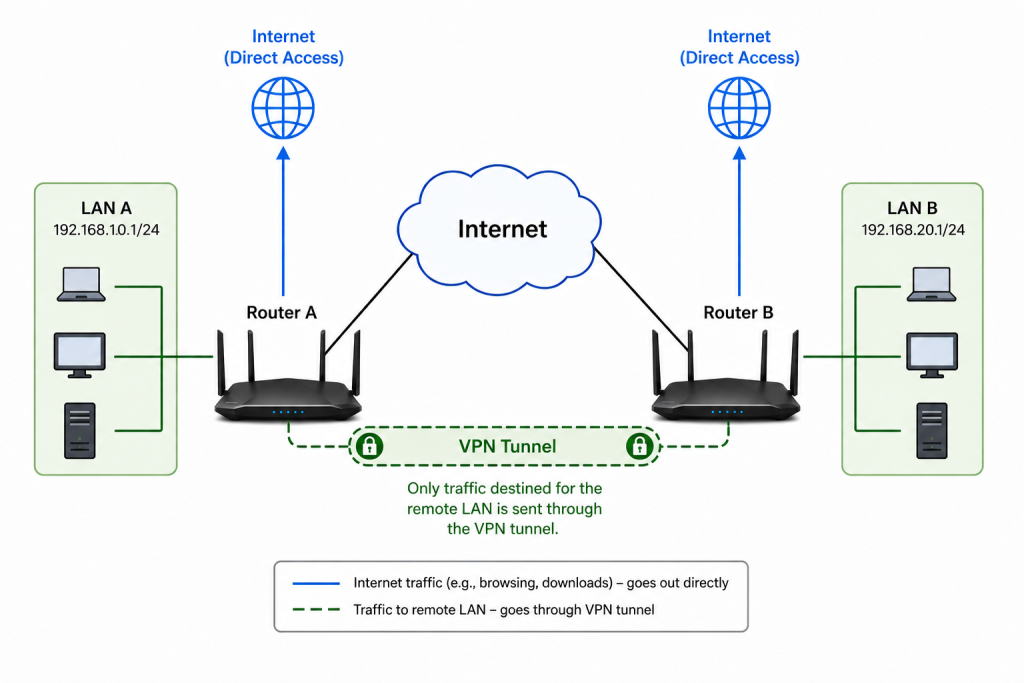
pcWRT VPN Router for Business: Set Up a Site-to-Site WireGuard VPN in Minutes
Posted on August 5, 2026 by pcwrt in Router, VPN.Every small business with more than one location eventually hits the same wall: how do you securely connect two offices so employees can share files, access the company server, or use the same point‑of‑sale system — without an IT department? The answer used to be expensive enterprise gear or a managed VPN service. The pcWRT […]
Continue Reading... No Comments. -
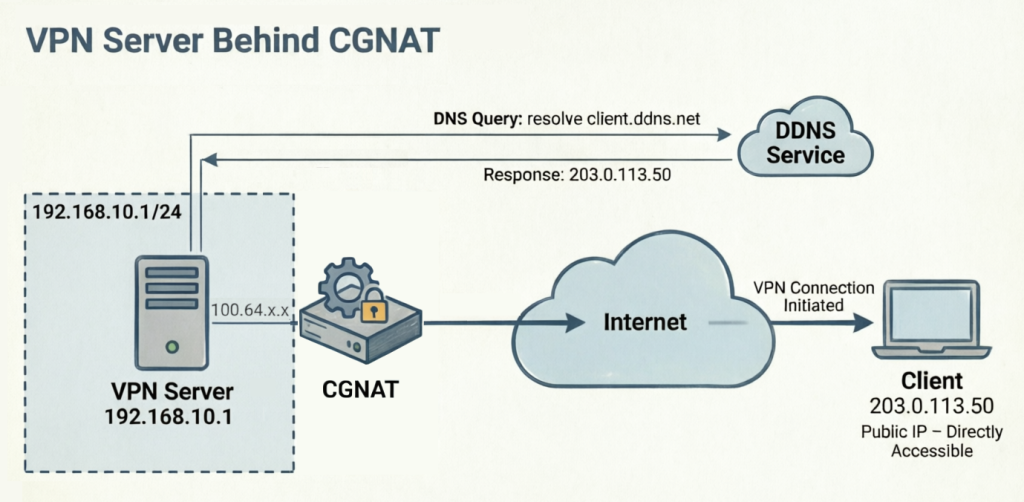
How to Set Up a Router-to-Router WireGuard VPN Behind CGNAT (pcWRT Guide)
Posted on August 3, 2026 by pcwrt in Router, VPN.Setting up a WireGuard VPN behind CGNAT is a common headache for home networkers and small businesses. Carrier-Grade NAT (CGNAT) means your ISP hides your router behind a shared public IP, making it impossible for external clients to initiate a traditional inbound connection. Most tutorials tell you to pay for a static IP or use […]
Continue Reading... No Comments. -
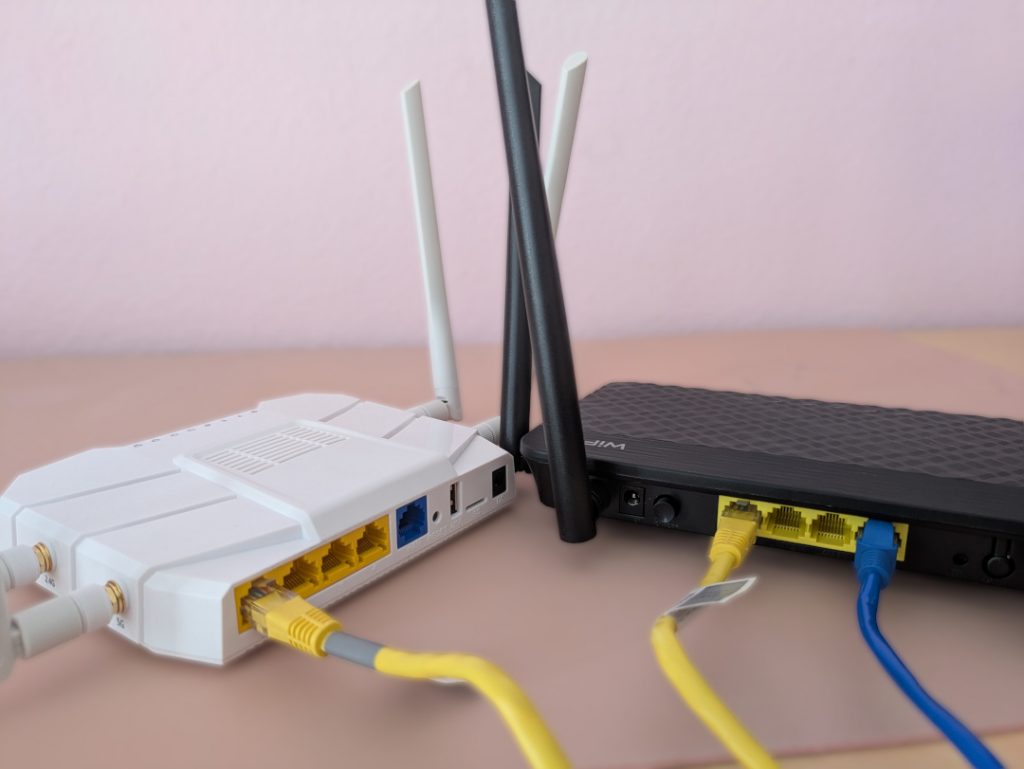
How to set up a second pcWRT router as an Access Point with VLAN support
Posted on December 7, 2024 by pcwrt in How To, Router, WiFi.The pcWRT routers allows you to create multiple WiFi SSIDs and assign each to a different VLAN, which improves your network security by segregating different devices to different VLANs. By following the steps shown here, you can set up a secondary pcWRT router as a WiFi Access Point (AP) to extend the WiFi range, with […]
Continue Reading... No Comments. -
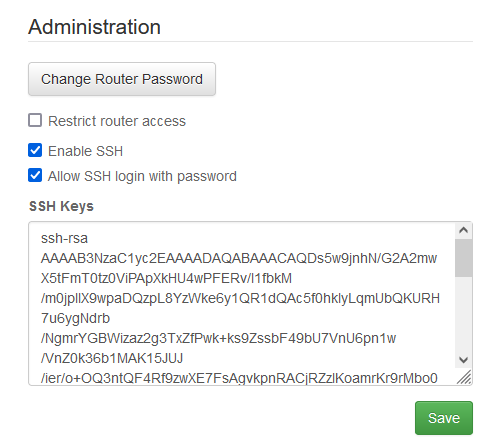
How to create your SSH key and use it on the router
Posted on March 3, 2024 by pcwrt in How To, Router.Generate your key pair Open a command line window and enter: ssh-keygen -b 4096 -t rsa A pair of private/public keys will be generated under the .ssh folder. By default the file names are id_rsa and id_rsa.pub. You can optionally enter a passphrase for your private key. View your public key On Linux or MacOS: […]
Continue Reading... 2 Comments. -
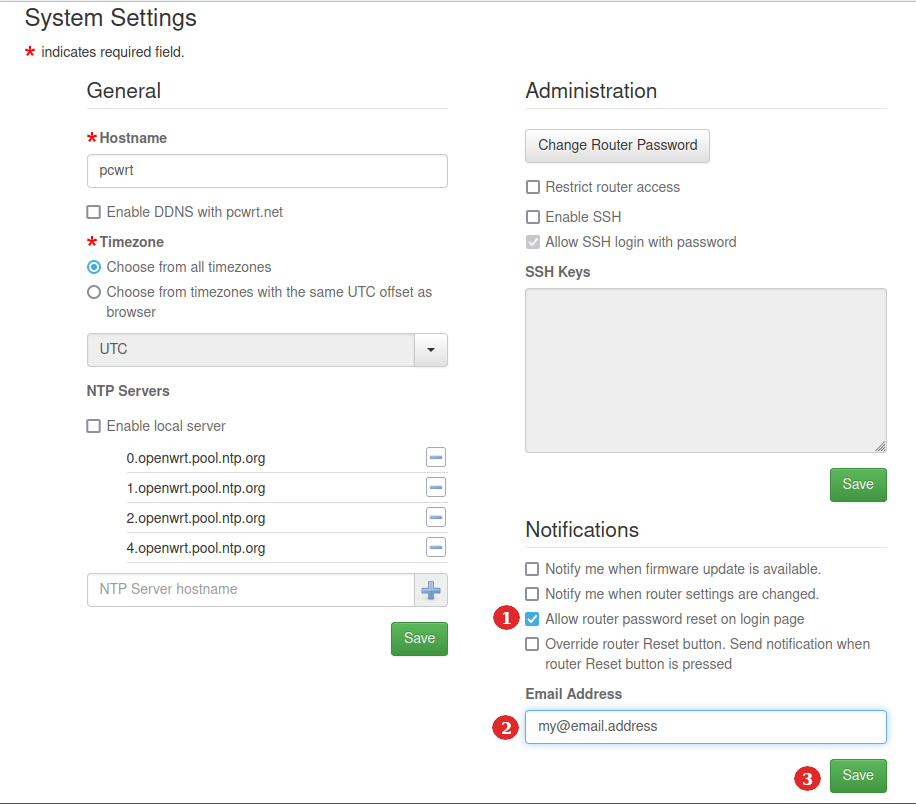
How to reset router password by email
Posted on August 29, 2023 by pcwrt in How To, Router.When you lose your router password, you can no longer log in to the router admin interface. The usual way to regain access to the router is to reset the router to factory defaults. However, that also means that you lose all of your configurations and have to reconfigure the router from the very beginning. […]
Continue Reading... 2 Comments. -
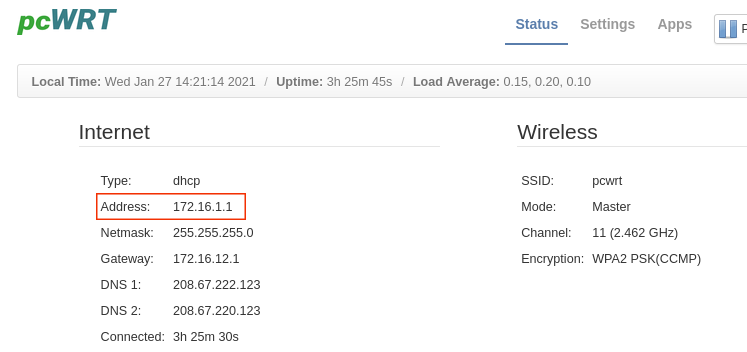
Do You Have a Public IP Address from Your ISP?
Posted on December 10, 2021 by pcwrt in How To, Router.If you want to host a server at home (for example, VPN server, Plex server or game server, etc.), you need a public IP address. Nowadays, more and more Internet Service Providers (ISPs) move their customers behind Carrier Grade NATs (CGNATs) due to the increasing scarcity of IPv4 addresses. Normal ways to set up a […]
Continue Reading... No Comments. -
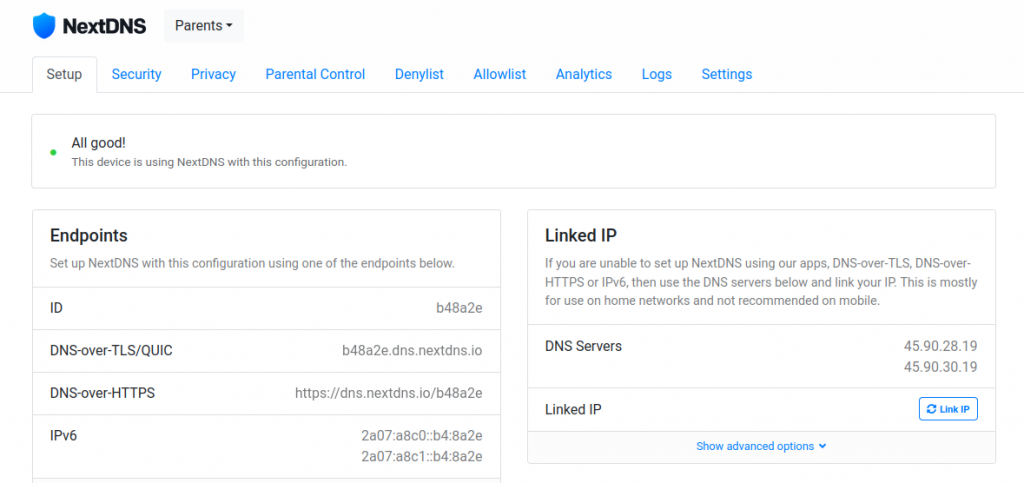
Set Up Multiple NextDNS Configurations for Encrypted DNS on the pcWRT Router
Posted on November 17, 2021 by pcwrt in How To, Router, Security.You can set up multiple configurations in NextDNS, each with different block lists. These configurations map neatly to the Access Control profiles on the pcWRT router. As a result, you can apply different NextDNS filtering configurations to different devices on your network directly from the router, without the need to set up NextDNS on each […]
Continue Reading... No Comments. -
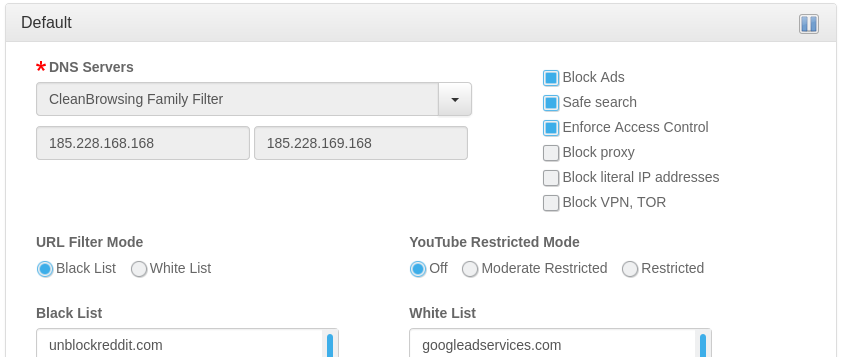
Use OpenDNS for Ad Blocking?
Posted on January 29, 2021 by pcwrt in Router, Security.A lot of people use OpenDNS on their home networks to block contents that might be harmful to children. Some were asking whether OpenDNS can add a filtering category to block unwanted ads. The answer from OpenDNS was no, and for good reason. As a result, if you want to use a DNS service to […]
Continue Reading... No Comments. -
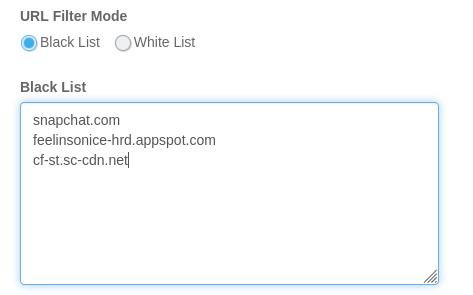
3 Ways to Block Snapchat on Router
Posted on January 20, 2021 by pcwrt in Parental Control, Router.Configure your router to use OpenDNS When you block the Social Networking category on OpenDNS, Snapchat will be blocked. In order to make this work, you’ll need to sign up for OpenDNS Home, and configure your router to use OpenDNS. Here are the steps: Create an OpenDNS account. Enter the OpenDNS addresses, 208.67.222.222 and 208.67.220.220, […]
Continue Reading... 2 Comments. -
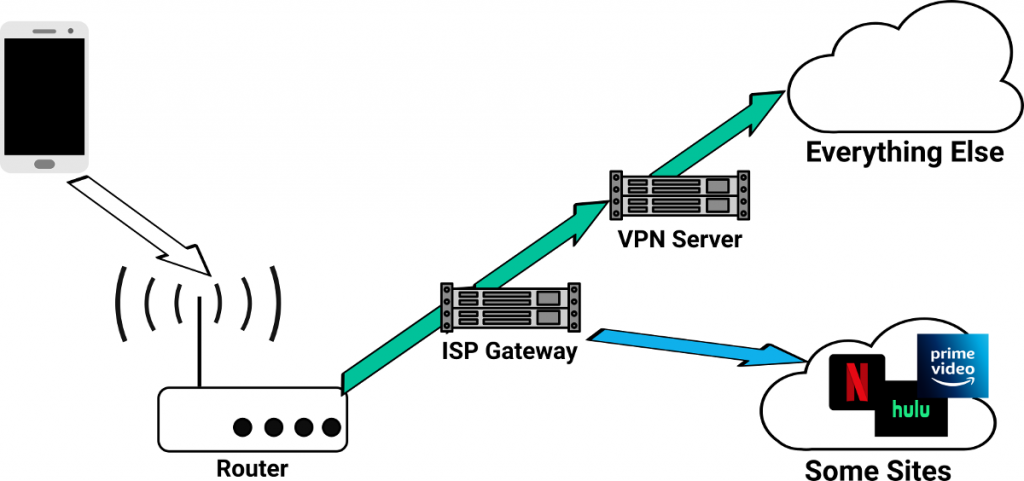
How to bypass VPN for certain web sites or apps
Posted on January 4, 2021 by pcwrt in How To, Router, VPN.There are situations where you want to bypass your VPN for certain web sites or apps. For example, you might want to pass all traffic from some devices through VPN, except for when those devices visit streaming web sites such as Netflix, Hulu etc. Some VPN clients give you the ability to choose which apps […]
Continue Reading... No Comments.

Recent Posts
- pcWRT VPN Router for Business: Set Up a Site-to-Site WireGuard VPN in Minutes
- How to Set Up a Router-to-Router WireGuard VPN Behind CGNAT (pcWRT Guide)
- pcWRT DDNS Setup Guide: Free & Easy Remote Access in 2 Minutes
- Double VPN, multi-hop VPN, VPN chaining, what is it?
- VPN Split Tunneling and Split Tunneling Two Separate VPN Connections with the pcWRT Router
Recent Comments
- on How to allow or block web sites on the router
- on How to allow or block web sites on the router
- on How to allow or block web sites on the router
- on Monitor activities on your home network
- on How to reset the pcWRT router
Archives
- August 2026
- May 2026
- February 2026
- January 2025
- December 2024
- June 2024
- April 2024
- March 2024
- August 2023
- May 2023
- February 2023
- June 2022
- December 2021
- November 2021
- August 2021
- January 2021
- December 2020
- October 2020
- August 2020
- July 2020
- June 2020
- May 2020
- April 2020
- February 2020
- January 2020
- December 2019
- October 2019
- December 2018
- August 2018
- July 2018
- June 2018
- January 2018
- November 2017
- October 2017
- September 2017
- August 2017
- July 2017
- June 2017
- January 2017
- August 2016
- May 2016
- December 2015
- August 2015
- July 2015
- May 2015
- April 2015
- March 2015
Categories


