Category Archives: VPN
-
How to set up a VPN server at home (on the router)
Posted on December 16, 2021 by pcwrt in How To, Security, VPN.If you did some search on this topic, you are probably confused. Most articles on this topic confuse readers rather than helping them. Why you need a VPN server at home First of all, let’s make it clear that there’s only one reason to set up a VPN server at home: you want to access […]
Continue Reading... No Comments. -
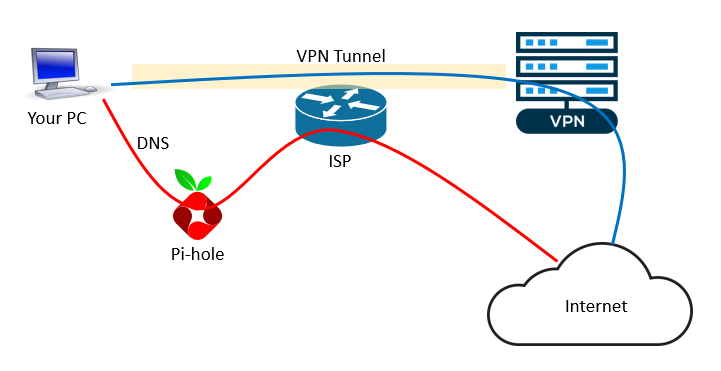
6 VPN leak scenarios and how to prevent them
Posted on August 29, 2021 by pcwrt in Security, VPN.TL;DR: the pcWRT router naturally protects you from the 6 leak scenarios listed below (i.e., no extra work needed). But if you’re using another VPN solution, read on. 1. DNS Leak DNS Leak is the most common type of leak when you are connected to a VPN. Even after your VPN is successfully connected, there’s […]
Continue Reading... No Comments. -
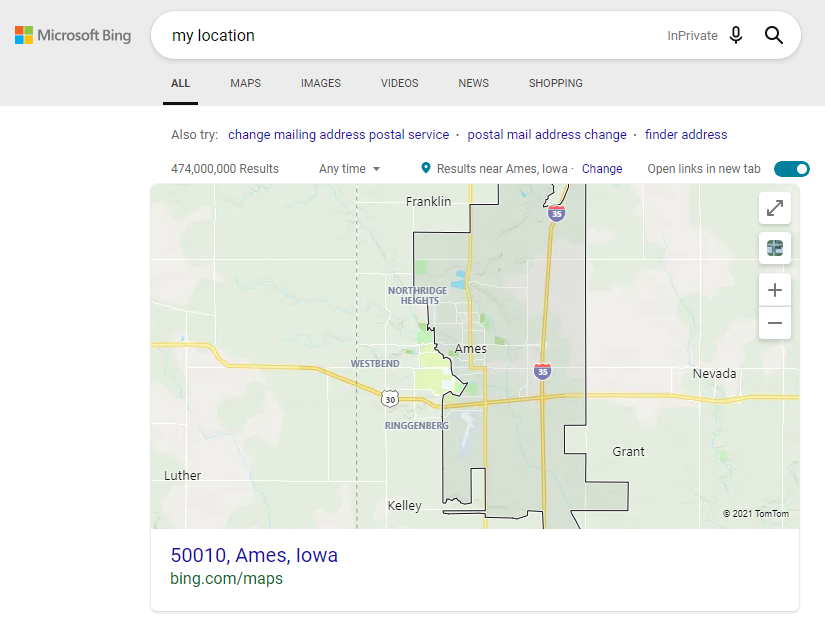
Is Google using fingerprinting to track you?
Posted on August 11, 2021 by pcwrt in Security, VPN.What’s your location? A post on Reddit reported that Google continues to display his actual address despite him using a VPN, turning off WiFi and blocking Geolocation. He even tried fresh installations. Intrigued by the post, I did the tests described here to understand the behavior. To eliminate the possibility of tracking by cookies, I […]
Continue Reading... No Comments. -
The Complete Guide to Setting up a WireGuard® VPN Server at Home with pcWRT
Posted on January 28, 2021 by pcwrt in How To, VPN.There are many situations where a home VPN server may be useful. First of all, it allows you to securely access your home network remotely. And if you have a network wide ad blocker at home, you can still use it while you are away, by tunneling your device back to the home network. You […]
Continue Reading... No Comments. -
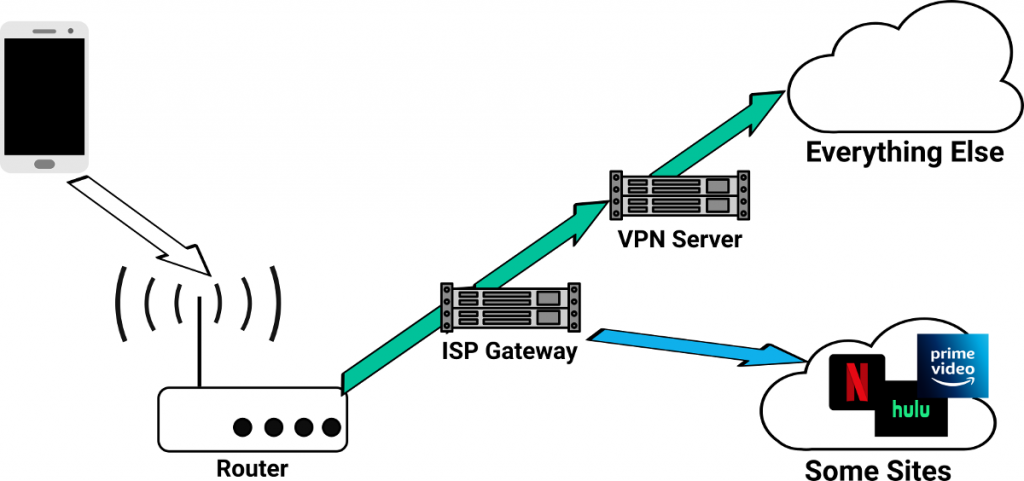
How to bypass VPN for certain web sites or apps
Posted on January 4, 2021 by pcwrt in How To, Router, VPN.There are situations where you want to bypass your VPN for certain web sites or apps. For example, you might want to pass all traffic from some devices through VPN, except for when those devices visit streaming web sites such as Netflix, Hulu etc. Some VPN clients give you the ability to choose which apps […]
Continue Reading... No Comments. -

How to setup StrongVPN on the pcWRT router (WireGuard)
Posted on December 27, 2020 by pcwrt in How To, Router, VPN.Download StrongVPN WireGuard configuration files Log on the StrongVPN WireGuard web site. Choose the location of your WireGuard server. Then click GENERATE. Save the WireGuard conf file. Create a StrongVPN WireGuard connection Log in the pcWRT management console, click on the WireGuard VPN icon under Apps. Under the Client tab, check the network you want […]
Continue Reading... No Comments. -

How to setup StrongVPN on the pcWRT router (IKEv2)
Posted on December 27, 2020 by pcwrt in How To, Router, VPN.Get the Server Key and Server Name Log in your StrongVPN account Click on “VPN Accounts”, then “VPN Accounts Summary” Click on the “Account Setup Instructions” button. Scroll down to the “Manual setup” section, click on the “PPTP/L2TP/ikev2” button. Select country, city, then click the Get Credentials button. Add a StrongVPN IKEv2 connection Log on […]
Continue Reading... No Comments. -

How to setup StrongVPN on the pcWRT router (OpenVPN)
Posted on December 26, 2020 by pcwrt in How To, Router, VPN.Download StrongVPN OpenVPN configuration files Log in your StrongVPN account Click on “VPN Accounts”, then “VPN Accounts Summary” Click on the “Account Setup Instructions” button. Scroll down to the “Manual setup” section, click on the “Get Configuration” button. Select country, city, protocol & port. You may choose to check Scramble or leave it unchecked. Click […]
Continue Reading... No Comments. -

Why DNS leak tests might fool you
Posted on August 8, 2020 by pcwrt in Security, VPN.What is a DNS leak test Even after you connect to a VPN, your DNS queries might still be sent to your ISP instead of your VPN service. This situation is called a DNS leak. DNS leak tests will tell you who your DNS provider is. You’ll find multitude of DNS leak test sites when […]
Continue Reading... No Comments. -
VPN services compatible with the pcWRT router
Posted on July 28, 2020 by pcwrt in Router, VPN.Out of the box, the pcWRT router supports three VPN protocols: OpenVPN, IKEv2 and WireGuard. If a VPN service offers methods to manually configure connections for one of these protocols, there’s a good chance it is supported by the pcWRT router. The table below lists the results of our compatibility tests with VPN service providers […]
Continue Reading... No Comments.

Recent Posts
- pcWRT VPN Router for Business: Set Up a Site-to-Site WireGuard VPN in Minutes
- How to Set Up a Router-to-Router WireGuard VPN Behind CGNAT (pcWRT Guide)
- pcWRT DDNS Setup Guide: Free & Easy Remote Access in 2 Minutes
- Double VPN, multi-hop VPN, VPN chaining, what is it?
- VPN Split Tunneling and Split Tunneling Two Separate VPN Connections with the pcWRT Router
Recent Comments
- on How to allow or block web sites on the router
- on How to allow or block web sites on the router
- on How to allow or block web sites on the router
- on Monitor activities on your home network
- on How to reset the pcWRT router
Archives
- August 2026
- May 2026
- February 2026
- January 2025
- December 2024
- June 2024
- April 2024
- March 2024
- August 2023
- May 2023
- February 2023
- June 2022
- December 2021
- November 2021
- August 2021
- January 2021
- December 2020
- October 2020
- August 2020
- July 2020
- June 2020
- May 2020
- April 2020
- February 2020
- January 2020
- December 2019
- October 2019
- December 2018
- August 2018
- July 2018
- June 2018
- January 2018
- November 2017
- October 2017
- September 2017
- August 2017
- July 2017
- June 2017
- January 2017
- August 2016
- May 2016
- December 2015
- August 2015
- July 2015
- May 2015
- April 2015
- March 2015
Categories


